
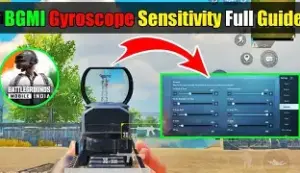
Close-range fights in BGMI and PUBG Mobile can be decided in seconds. Fast enemy movement, sudden jiggles and aggressive pushes require quick aim adjustments, while recoil control becomes equally important during sprays. This is where the right BGMI gyro sensitivity close range setup can make a noticeable difference.
There is no single sensitivity code that works perfectly for every player. Your phone, screen size, FPS, grip and how much you tilt your device all affect your aim. Current 2026 guides recommend using a strong baseline and then adjusting it in small increments.
Best BGMI Gyro Sensitivity for Close Range
For players looking for a balanced starting point, try these values:
| Setting | Recommended Sensitivity |
| TPP No Scope | 300% |
| FPP No Scope | 300% |
| Red Dot / Holographic | 300% |
| 2x Scope | 250–300% |
| 3x Scope | 200–240% |
| 4x Scope | 180–200% |
| 6x Scope | 80–120% |
| 8x Scope | 50–90% |
These values are intended as starting points rather than a universal preset. Current BGMI guides commonly place close-range gyro around 300% or higher, while reducing sensitivity as magnification increases.
Why High Gyro Helps in Close-Range Fights
Close combat requires rapid tracking. When an opponent moves sideways or changes direction suddenly, higher gyro sensitivity lets you move the crosshair with a smaller physical tilt.
For example, 300% Red Dot gyro can provide enough responsiveness for quick tracking and recoil correction. If your crosshair consistently moves past the enemy, however, the sensitivity may be too high for your control style.
Higher sensitivity is not automatically better. The objective is to make small wrist movements produce predictable crosshair movement.
Best PUBG Mobile Gyro Settings for Recoil Control
Gyroscope sensitivity becomes particularly useful while spraying weapons such as the M416. A higher value on Red Dot and 2x allows you to make faster downward adjustments while controlling vertical recoil.
For 3x and 4x sprays, gradually reducing the sensitivity can make the sight easier to stabilize. Long-range scopes should generally use considerably lower values because excessive sensitivity can make tiny phone movements produce large crosshair movements.
Scope On or Always On Gyroscope?
If you are new to gyro, Scope On is a practical starting option because the sensor activates when aiming rather than affecting normal camera movement.
More experienced players can experiment with Always On, which also gives gyro control during hip-fire and other situations. However, it requires more muscle memory and consistent phone movement.
How to Master Gyro in PUBG Mobile
Do not immediately take a new sensitivity setup into ranked matches. Enter the Training Ground and test one scope at a time.
Start with Red Dot and practice tracking moving targets while maintaining a controlled spray. If your aim overshoots, reduce the sensitivity by around 5–10%. If your recoil continues climbing despite controlled downward movement, increase it gradually.
Also test your settings at your actual game FPS. Sensitivity can feel different when your device experiences inconsistent frame rates, so stable performance is important when tuning aim.
Common Gyro Sensitivity Mistakes
One common mistake is copying a professional player’s exact sensitivity without considering the difference in devices and playstyles. Current guides specifically recommend treating copied settings as starting points rather than guaranteed solutions.
Another mistake is changing every sensitivity value at once. Adjust one scope, test it, and then move to the next. This makes it much easier to identify what actually improved your aim.
Conclusion
The right BGMI gyro sensitivity close range setup should give you fast tracking without making your crosshair unstable. A strong starting point is around 300% for No Scope and Red Dot, followed by progressively lower values for higher magnification.
Use these PUBG Mobile gyro settings as a baseline, spend time practicing, and make small adjustments according to your device and control style. With consistent training, gyro can become a useful tool for close-range tracking and recoil control.
Also Read: CLARITY Act Senate Vote Today: Polymarket Odds Fall to 19%
