
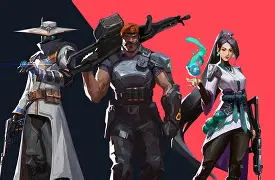
In fast-paced shooting games such as Valorant, the accuracy of shots and the clarity of the view are vital components that define winners in gunfights. A smart move to raise your accuracy level significantly is through utilizing the well-tuned Valorant crosshair codes. These codes give gamers the possibility of obtaining professional-level crosshair configurations that are created to offer the clearest vision, help the players be consistent with their shots, and get better aim control.
If you are starting out and want to get a grip on crosshair settings, or, on the other hand, if you are a seasoned gamer who is always on the lookout for new and better setups, reading this article will definitely be useful to you because it is loaded with information on crosshair codes in Valorant, pro player preferences, and tips on how to personalize your setup.
What Are Valorant Crosshair Codes?
Valorant crosshair codes stand for specially designed text strings that hold the entirety of crosshair configurations in a single place. Settings of line thickness, gap size, color, opacity, outlines, and center dot are all included in these configurations. Instead of taking time to adjust settings piece by piece, gamers can load a complete crosshair setup by importing a single crosshair code.
Choosing the appropriate crosshair can help in cutting down unnecessary visuals, making headshots more accurate, and running target acquisition more swiftly. Because of this, custom crosshair codes account for the majority of the presets used by competitive and professional Valorant players.
How to Import Valorant Crosshair Codes
Here is how you can import a Valorant crosshair code in no time:
- Launch ValorantNavigate to SettingsOpen the Crosshair tabHit the button Import Profile CodeEnter the crosshair codeConfirm and try it in the practice refresh mode
This capability allows one to experiment with different crosshair setups before choosing the one that is perfect in terms of your aim and style of playing.
Best Valorant Crosshair Codes Used by Pro Players
Pro gamers invest a lot of their time into honing their crosshair settings. There are some widely used Valorant crosshair codes that have been taken as a model by the leading competitive players.
TenZ Crosshair Code – Clean & Precise
Crosshair Code:
0;s;1;P;c;5;h;0;m;1;0l;4;0o;2;0a;1;0f;0;1b;0;S;c;4;o;1
TenZ prefers a minimal crosshair that provides excellent visibility without blocking enemy movement. This setup is ideal for aggressive duelists who rely on fast flicks and headshots.
ScreaM Crosshair Code – One-Tap Focus
Crosshair Code:
0;P;c;5;b;0;S;c;0l;4;0o;2;0a;1;0f;0;1b;0
Known for his incredible one-tap accuracy, ScreaM uses a small and sharp crosshair. This design is perfect for players who rely on precision shooting rather than spraying.
Boaster Crosshair Code – Tactical Visibility
Crosshair Code:
0;s;1;P;c;1;o;1;d;1;0l;0;0o;2;0a;1;0f;0;1t;0;1l;0;1o;0;1a;0;S;c;1;o;1
Boaster’s crosshair offers balanced visibility, making it suitable for strategic players and in-game leaders who need consistent tracking across different ranges.
Yay Crosshair Code – Balanced Aim Control
Crosshair Code:
0;P;h;0;f;0;0l;4;0o;0;0a;1;0f;0;1b;0
This crosshair is designed for stability and control. It works well for mid-range duels and players who want a clean but reliable aiming reference.
Minimal Dot Crosshair – Maximum Precision
Many professional players also use a dot-only crosshair. This style removes all lines and leaves a small center point, allowing extremely precise aim and better focus during head-level fights.
Popular Meta Valorant Crosshair Styles
Apart from pro setups, some crosshair styles are widely used by the Valorant community:
Dot-Only Crosshair
Best for experienced players who want pinpoint accuracy and minimal distraction.
Small Static Crosshair
Ideal for consistency, helping players focus on crosshair placement rather than movement.
High-Visibility Crosshair
Uses bright colors like green or cyan to remain visible on all maps and lighting conditions.
Best Valorant Crosshair Settings Tips
Choose the Right Color
Use colors that stand out from the surroundings. Green, cyan, and yellow are commonly used colors as they are visible on most maps.
Keep It Simple
Do not go for crosshairs that are too big or complicated. A simple one helps you concentrate better and react quicker.
Match Crosshair to Playstyle
- Duelists to their loss of focus crosshairs
- Support players may enjoy the comfort of slightly bigger designs
- Snipers generally have dot-based crosshairs
Practice Consistently
Well, even the most excellent Valorant crosshair code won’t assist a player who lacks regular practice. So, go and spend time in aim training and deathmatch modes.
Common Myths About Valorant Crosshair Codes
There Is No “Perfect” Crosshair
It is impossible to say that a setting that works for professional players will necessarily work for you as well. To get the best results, your personal comfort and consistency matter way more than blindly copying settings.
Big Crosshairs Aren’t A Sign Of Better Aim
Large crosshairs can obstruct visual and thus affect the accuracy. Typically, smaller and clean designs are more successful.
Conclusion
One of the best Valorant crosshair code ways to improve your aim, precision, and overall gameplay is through crosshair codes. Whether you opt for a professional player’s setup or make a personalized one, the main factor is finding a crosshair that fits you and is dependable.
Try out different variations, practice them, and then choose the one that helps you to be consistent. A well-optimized crosshair might not be able to replace your gaming skills-but it can definitely help you to unlock your full potential in Valorant.
Also Read: Billiton Diamond, Ctrl Alt and Ripple Bring $280M+ Certified Diamonds On-Chain via XRP Ledger
