
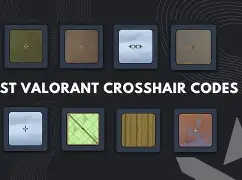
Choosing the right Valorant crosshair can greatly improve your aiming accuracy and overall performance in matches. Many professional players and high-ranked gamers rely on carefully customized crosshair settings that help them track enemies and land precise headshots.
As of 14 March 2026, several crosshair designs remain popular among competitive players. These crosshair codes allow players to instantly import a complete crosshair setup instead of adjusting each setting manually.
In this guide, you will find some of the best Valorant crosshair codes, popular pro player crosshairs, and useful tips to help you select the ideal crosshair for ranked gameplay.
What Are Valorant Crosshair Codes?
A Valorant crosshair code is a special configuration string that stores the complete crosshair setup. It includes details such as color, outlines, line thickness, center dot settings, and opacity.
Instead of manually adjusting every setting, players can simply paste a crosshair code in the game’s settings menu to instantly apply the design.
These codes are useful because they allow players to:
- Quickly copy professional player crosshairs
- Improve headshot accuracy
- Maintain consistent aim across different maps
- Reduce unnecessary visual distractions while aiming
Most competitive players prefer minimal crosshair designs because they help keep the focus on enemy head placement.
Best Valorant Crosshair Codes (14 March 2026)
Below are some of the most popular Valorant crosshair codes used by players and professionals.
TenZ Crosshair Code (Precision Aim)
Crosshair Code
0;s;1;P;c;5;h;0;m;1;0l;4;0o;2;0a;1;0f;0;1b;0
Why players like it:
- Clean and minimal design
- Ideal for flick shots
- Frequently used by aggressive duelists
This crosshair remains popular because it provides strong visibility while keeping the screen uncluttered.
ScreaM One-Tap Crosshair
Crosshair Code
0;P;c;7;o;1.0;d;1;z;1f;0;s;0;0l;4;5o;4;5a;1
Best for:
- Precise headshots
- Vandal gameplay
- Players who rely on one-tap accuracy
This crosshair is designed for players who prefer extremely accurate shooting rather than spraying.
Shroud Balanced Crosshair
Crosshair Code
0;P;o;0.506;d;1;z;1;0t;1;0l;4;0o;2;0a;1;0f;0;1b;0
Advantages:
- Balanced size and visibility
- Works well across different maps
- Suitable for beginners and experienced players
Many players consider this crosshair one of the most versatile setups in the game.
Demon1 Aggressive Crosshair
Crosshair Code
0;P;c;1;o;1;d;1;z;1f;0;s;0;0l;3;5o;5;5a;1
Why it works:
- Slightly larger crosshair design
- Helps track enemies during close-range fights
- Works well for aggressive entry players
This crosshair can be helpful when taking fast engagements in tight spaces.
Small Green Competitive Crosshair
Crosshair Code
0;P;c;1;h;0;f;0;0l;2;0o;1;0a;1;0f;0;1b;0
Features:
- Classic green crosshair color
- Compact and precise design
- Excellent visibility in most maps
Green crosshairs are widely used because they stand out against most environments in the game.
Why Crosshair Settings Matter in Valorant
Your Valorant crosshair plays a crucial role in your aiming accuracy. Even small adjustments can make a big difference during intense matches.
Better Headshot Accuracy
A small and clean crosshair helps players place their aim exactly at head level, which increases the chances of landing instant eliminations.
Improved Visibility
Using bright colors like green, cyan, or white ensures the crosshair remains visible against various backgrounds and map textures.
Faster Reaction Time
Simple crosshair designs reduce distractions, allowing players to focus on enemy movement and react faster during gunfights.
Professional players often spend a lot of time testing crosshair settings to find the perfect balance between visibility and precision.
How to Import Valorant Crosshair Codes
If you want to use any of the crosshair codes mentioned above, follow these steps:
- Open Valorant Settings
- Navigate to the Crosshair tab
- Select Import Profile Code
- Paste the crosshair code
- Apply the settings
Once imported, you can still adjust specific settings if you want to customize the crosshair further.
Tips to Choose the Best Valorant Crosshair
Selecting the best Valorant crosshair depends on your personal playstyle. Here are a few practical tips.
Use a Small Crosshair
Most professional players prefer small static crosshairs because they provide better accuracy for headshots.
Pick a Bright Color
Colors such as green, cyan, and white tend to remain visible across different maps and lighting conditions.
Avoid Thick Lines
Thin crosshair lines reduce screen clutter and help maintain better target visibility.
Test in the Practice Range
Before using a new crosshair in ranked matches, always test it in the practice range to ensure it feels comfortable.
Pro Players and Their Crosshair Preferences
Many Valorant players copy crosshair settings used by professional esports players. These players spend countless hours perfecting their aim and crosshair configuration.
Some well-known pro players include:
- TenZ
- aspas
- cNed
- yay
- Demon1
Most of these professionals use minimal crosshair designs that allow them to maintain precise aim during competitive matches.
Best Crosshair Types in Valorant
Different crosshair styles can suit different playstyles.
Dot Crosshair
A tiny dot in the center of the screen that provides extremely precise aiming.
Small Static Crosshair
A minimal crosshair with fixed lines. This is the most common type used by professional players.
Dynamic Crosshair
This crosshair expands when you move or shoot, indicating weapon accuracy.
Although dynamic crosshairs can help beginners understand recoil and movement accuracy, most competitive players prefer static crosshairs.
Conclusion
Choosing the right Valorant crosshair code can significantly improve your gameplay experience. A well-designed crosshair helps you aim more precisely, track enemies better, and react faster during intense gunfights.
The crosshair codes listed for 14 March 2026 are widely used by competitive players and can serve as a great starting point for improving your aim.
Experiment with different crosshair styles, test them in practice mode, and adjust the settings until you find the perfect crosshair that matches your playstyle.
Also Read: Bitcoin ETF Inflows Outpace Gold ETFs Since Start of Conflict, JPMorgan Says
