
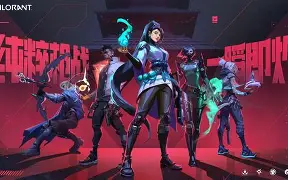
Valorant players always look for the perfect crosshair that helps improve accuracy, reaction time, and headshot consistency. A good crosshair may not instantly make someone a professional player, but the right Valorant crosshair codes can make aiming more comfortable and improve visibility during intense matches. Pro players and high-ranked gamers often customize their crosshair settings based on their playstyle, map preferences, and weapon choices.
This guide covers the latest Valorant crosshair codes June 21, including popular pro-inspired settings, small crosshair designs, dot crosshairs, and competitive setups that players can try in their games.
What Are Valorant Crosshair Codes?
A Valorant crosshair code is a special import code that allows players to quickly copy another player’s crosshair settings. Instead of manually adjusting color, outline, thickness, gap, and opacity, players can paste a code directly into Valorant settings.
The game offers many customization options, allowing players to create:
- Small static crosshairs
- Dot crosshairs
- Professional-style crosshairs
- Minimal designs
- Creative crosshair styles
Many competitive players prefer simple designs because they keep the screen clear and allow better focus on enemies.
Best Valorant Crosshair Codes June 21
TenZ Style Valorant Crosshair Code
TenZ is known for his precise aim and clean crosshair style. His crosshair is one of the most searched setups among Valorant players.
TenZ Crosshair Code:
0;P;c;5;h;0;0l;4;0o;2;0a;1;1b;0
This crosshair uses a small design that stays visible on different maps and works well for players who prefer accurate tapping and controlled sprays.
Dot Crosshair Code for Headshots
Many players prefer a dot crosshair because it gives a clear center point for aiming.
Dot Crosshair Code:
0;s;1;P;o;1;d;1;0b;0;1b;0
The dot crosshair is popular among players who focus on one-tap headshots with weapons like Vandal and Guardian.
Small Pro Crosshair Setup
A small crosshair helps avoid blocking enemy models during fights.
Small Crosshair Code:
0;P;h;0;f;0;0l;5;0o;0;0a;1;0f;0;1b;0
This setup provides a balance between visibility and precision, making it useful for ranked matches.
Green Visibility Crosshair
Green crosshairs are commonly used because they stand out clearly on many maps.
Green Crosshair Code:
0;P;c;1;o;1;d;1;z;1;0t;1;0l;4;0o;2;0a;1;0f;0;1b;0
Players who struggle with visibility can test bright colors like green or cyan for a cleaner view.
How to Import Valorant Crosshair Codes
Using a new Valorant crosshair code is simple:
- Open Valorant.
- Go to Settings.
- Select the Crosshair section.
- Click Import Profile Code.
- Paste your selected crosshair code.
- Save the new profile.
After importing, players can adjust colors, thickness, and other options according to their preference.
Best Valorant Crosshair Settings for Ranked Games
The best crosshair depends on individual comfort, but many competitive players prefer:
Small Crosshair Size
A smaller crosshair keeps the target visible and helps with head-level aiming.
Static Crosshair
Static designs do not move while walking or shooting, making them popular for precise players.
Clear Crosshair Colors
Bright colors such as cyan, green, and white are easier to track during fights.
Minimal Crosshair Gap
A smaller gap helps players aim directly at enemy heads.
The best Valorant settings are different for every player, so testing multiple styles in practice mode can help find the ideal setup.
Pro Player Crosshair Codes and Their Popularity
Professional Valorant players often influence the community because their settings are designed around competitive gameplay. Many players search for pro crosshair codes from players like TenZ, Demon1, Shroud, and others.
However, copying a professional player’s crosshair does not automatically improve performance. Crosshair placement, movement control, sensitivity, and game awareness are still important factors.
Valorant Crosshair Tips to Improve Aim
A good crosshair works best when combined with proper practice. Follow these tips:
- Keep your crosshair at head level.
- Avoid changing your crosshair too often.
- Practice with the same setup.
- Choose a color that is easy to see.
- Test your crosshair on different maps.
Many players switch crosshairs regularly, but consistent practice helps build better muscle memory.
Frequently Asked Questions
What is the best Valorant crosshair code for headshots?
Small dot and minimal crosshair designs are popular for headshots because they keep the aiming point clear.
Can Valorant crosshair codes improve aim?
Crosshair codes improve comfort and visibility, but real improvement depends on practice, positioning, and shooting skills.
Which Valorant crosshair color is best?
Cyan, green, and white are commonly preferred because they remain visible against different backgrounds.
Do pro players use custom crosshairs?
Yes, many professional Valorant players use customized crosshair settings based on personal preference and competitive requirements.
Conclusion
Finding the right Valorant crosshair codes June 21 can help players create a cleaner and more comfortable aiming experience. Whether you prefer a dot crosshair, small professional setup, or a unique custom design, the best choice depends on your gameplay style.
Experiment with different Valorant crosshair settings, practice regularly, and choose the setup that improves your consistency during matches. A good crosshair is not a shortcut to winning, but it can become an important part of your competitive setup.
